
Using the Clipboard in Row Filter
The Listed and Not listed conditions support clipboard commands.
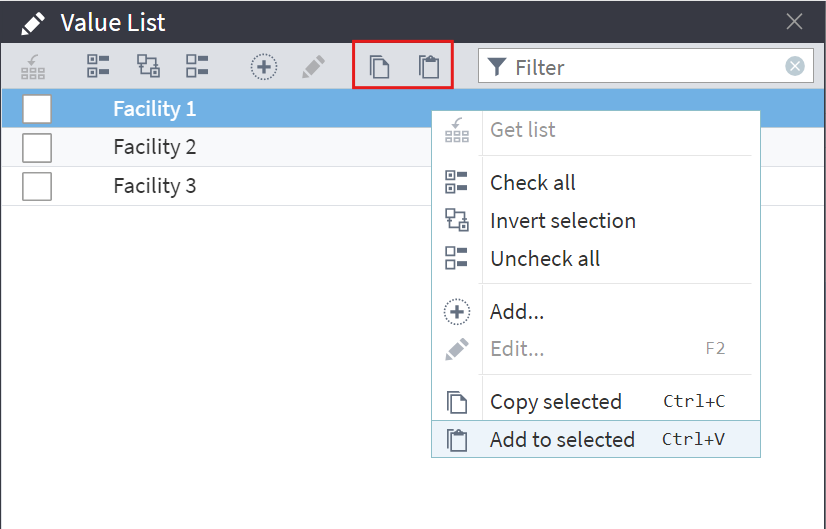
In the Value list window, you can use the following clipboard commands from the toolbar, the context menu, or via keyboard shortcuts:
- Copy selected (Ctrl + C)
- Add to selected (Ctrl + V).
The field you select for filtering must contain discrete data.
The system uses a line break as the delimiter for copied or pasted items.
When you paste data, the system automatically validates the data type. For example, it will reject pasting a string into a numeric field. If you paste values into a list with a 
variant field, the system pastes all values as strings without converting them to the most appropriate data type.
For the 
date/time data type, ensure that the values match the required data format.
The system does not add duplicate values during pasting.
Additional details
The toolbar and context menu commands work both in the desktop version and in Megaladata Studio (accessed via a browser using the HTTPS protocol or on localhost).
Important: In the Firefox browser, the Cut and Copy context menu commands work by default. To enable the Paste command, enter
about:configin the browser address bar, find thedom.events.testing.asyncClipboardparameter, and set its value totrue.
When working over the HTTP protocol, use the following keyboard shortcuts:
- Сopy the selected value to the clipboard: Ctrl + C
- Paste values from the clipboard: Ctrl + V
Read on: Control