
Activating a Software Key Offline
If the end-user's computer lacks internet access for online activation, you can activate the key in offline mode. Follow these steps:
- Launch the Guardant Activation Wizard.
Note:
GuardantActivationWizard.exeis included in the Megaladata distribution. If you used the default installation settings, find the utility in the Windows Start menu or in the folderC:\Program Files\Megaladata\Guardant.
- Select the Offline mode option (bottom left) and click Next.
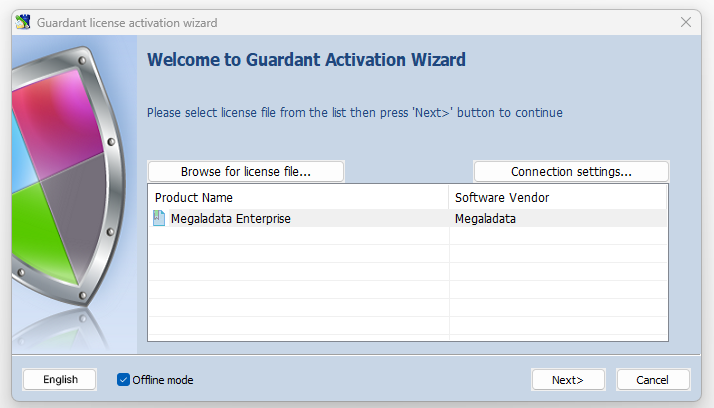
- Enter the software key serial number. The program will generate a specific file to send to the activation server.
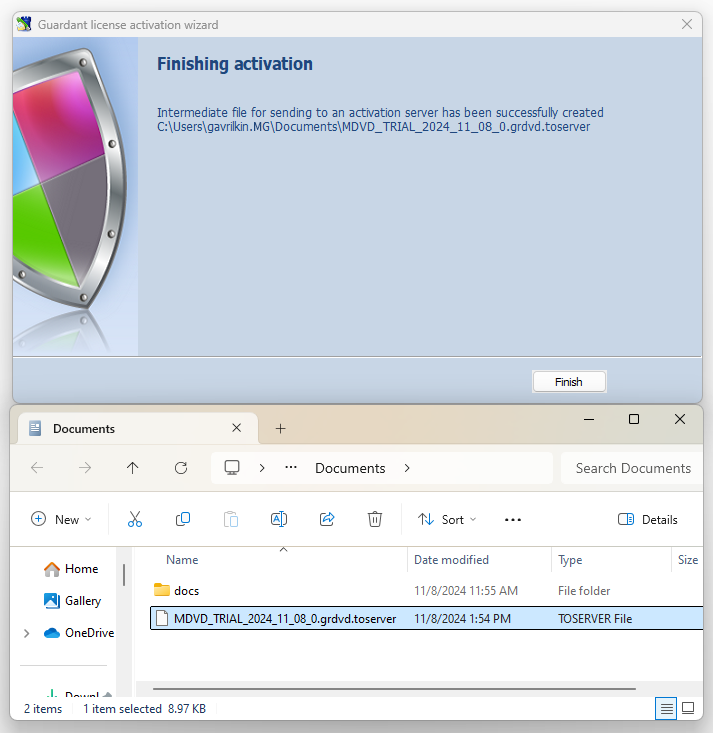
- Transfer this file to a computer with internet access and run the Activation Wizard (
GuardantActivationWizard.exe). Click Specify license file and select Files to transfer to activation server (*.toserver) in the file name field.
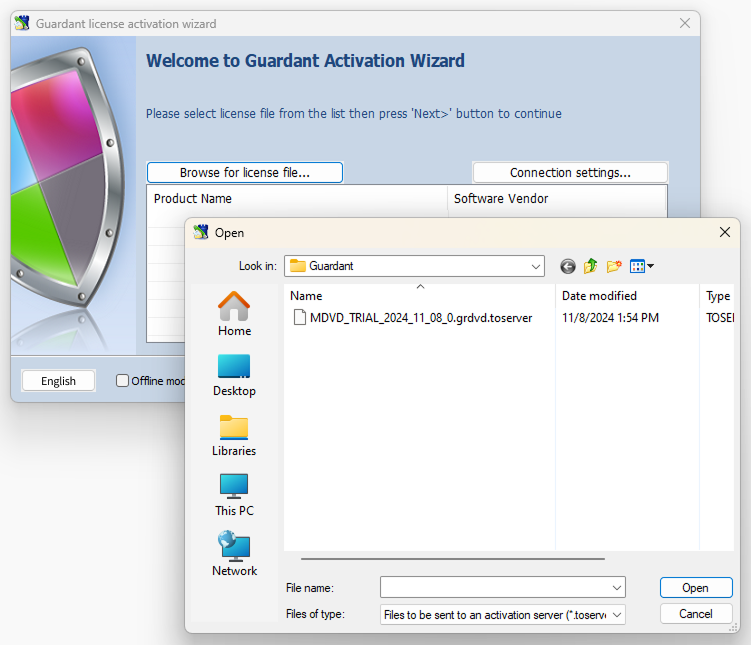
- The program will connect to the activation server and generate a second file. Transfer this file back to the end-user's computer to complete the process.
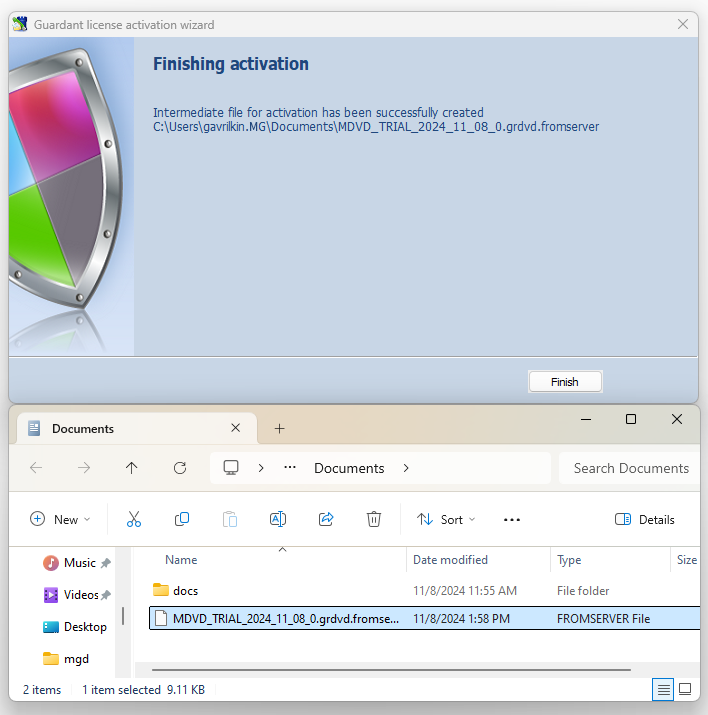
- Run the Activation Wizard (
GuardantActivationWizard.exe) on the end-user's computer.
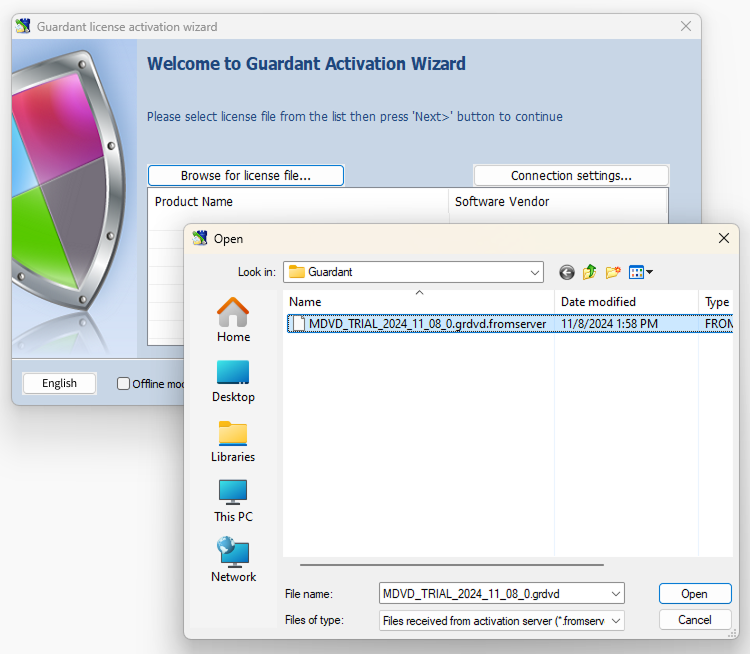
Important: Do not select the Offline mode option here.
Click Specify license file, set the file type to Files received from the activation server (*.fromserver), and select the required file.
- Click Next. This will complete the activation process.
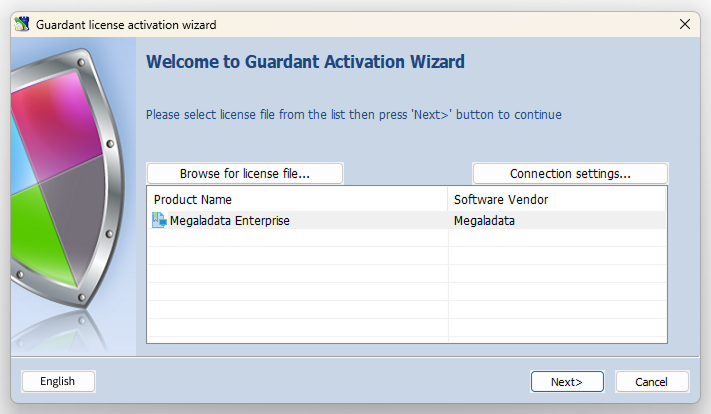
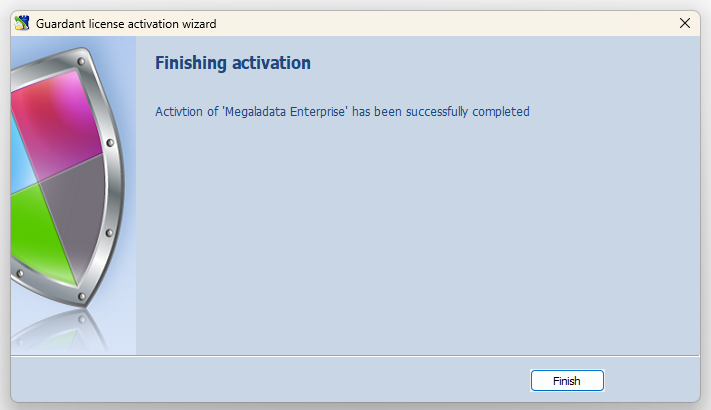
- The activation process is complete.
Should you experience any difficulties with key activation, feel free to contact us at [email protected].