
Guardant Key Diagnostics
The Guardant Diagnostics Utility is designed to test protection keys for presence and functionality. The diagnostics utility automatically collects system information, tests Guardant electronic keys, and prepares a report for technical support.
The utility is installed along with the Guardant drivers. To run diagnostics, open the file %ProgramFiles%\Common Files\Guardant\Drivers\grddiag.exe.
You can also launch the utility from the Guardant Drivers control panel applet by clicking the Diagnostics button.
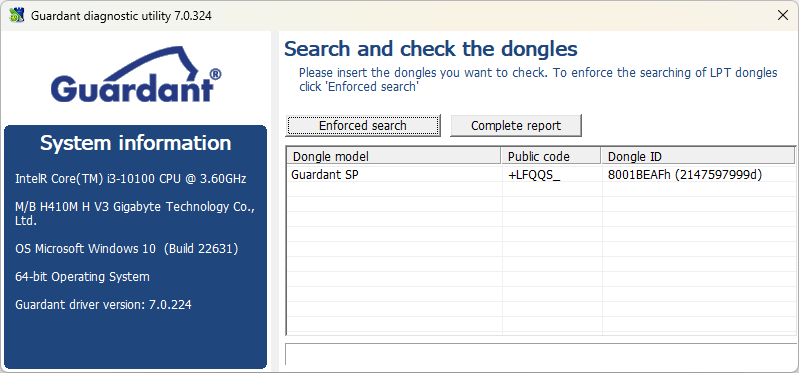
To generate a report, click the Full Report button. This will open an HTML file in your browser, providing a detailed description of all dongles installed in the system, as well as the system configuration. The image below shows a fragment of the report:
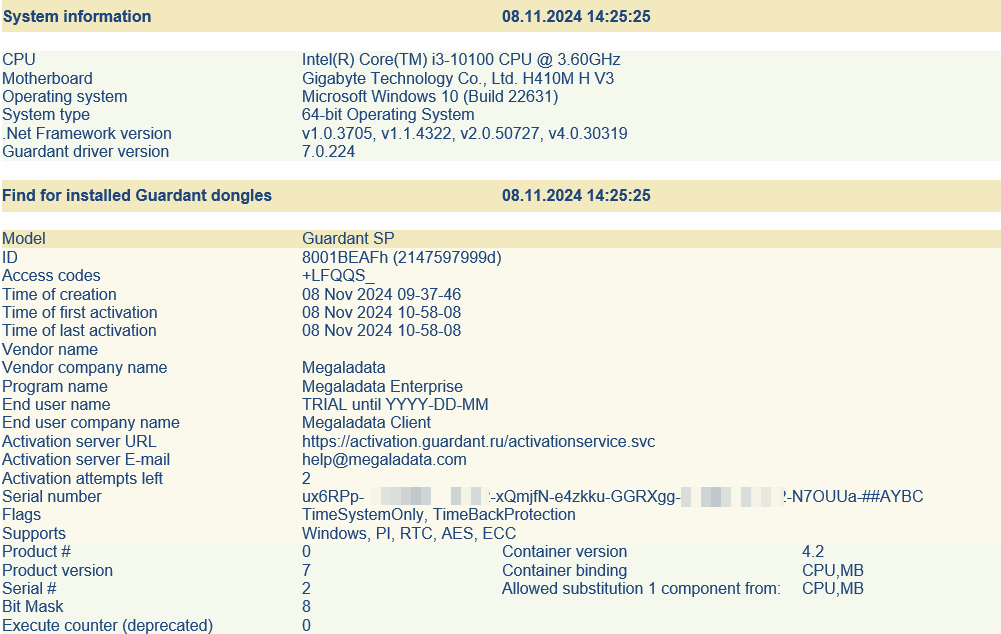
To send the report to technical support, save it in HTML or TXT format and send it to [email protected].
Read on: Megaladata Studio